
Trade-offs in AI Integration for SSH/RDP Operations Tools: DartShell’s Design Approach
Core Use Cases for Operations Tools
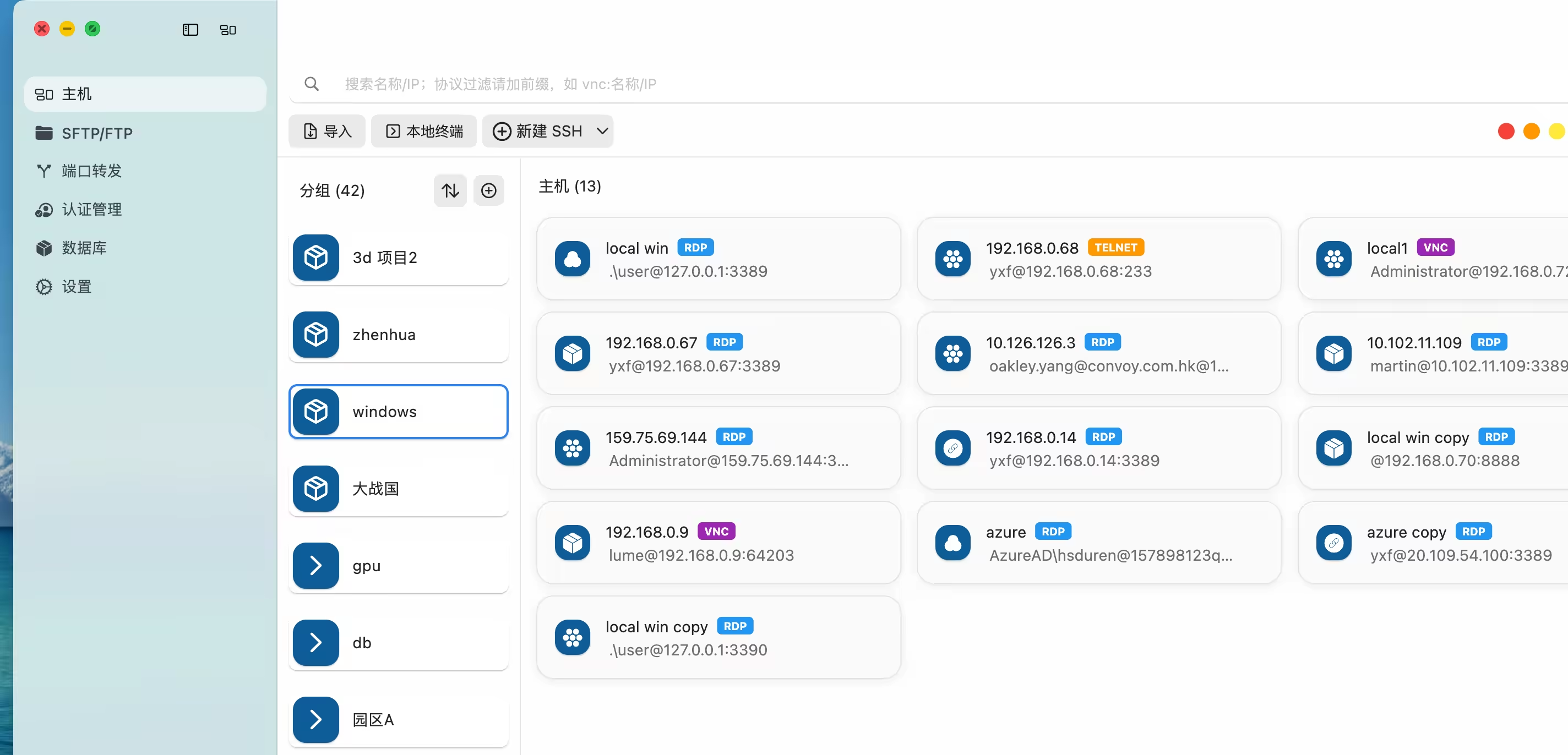
DartShell is an SSH / RDP operations client for macOS, mainly designed to solve connection, switching, and troubleshooting problems in day-to-day server management.
In real operations environments, the most frequently used actions are generally concentrated in a few areas:
- SSH login and command execution
- RDP remote desktop operations
- Fast switching between multiple servers
- Temporary investigation of production issues
- Log viewing and basic diagnostics
What these scenarios have in common is that the operation path is short, response requirements are high, and there is little room for error.The design goal of the tool itself is also relatively clear: to make these operations as direct and stable as possible.
Common Attempts at AI Features in SSH Clients
In recent years, many SSH clients have added AI-related capabilities, such as:
- Built-in chat windows
- Command generation and explanation
- Intelligent troubleshooting assistants
- Conversational operations within sessions
During the design of DartShell, I also evaluated similar ideas and even tried integrating AI into the connection interface.But in actual usage flows, this kind of integration has an obvious characteristic: it feels more like an “additional capability” than part of the “core path.”
The way operations engineers actually use AI often does not depend on the SSH client interface itself.
A More Natural Way to Use AI: Outside the GUI Toolchain
A more frequently used approach is:
- Hand server information to AI programming tools such as Codex
- Let it directly perform analysis and operations within the project context
- Automatically complete login and command execution
This model has the following characteristics:
- It does not depend on a desktop client
- Operations happen directly within the contextual environment
- It feels closer to an automation script
Another common approach is:
- SSH into the server first
- Install a CLI version of an AI tool on the remote machine
- Use it directly in the terminal environment for operations assistance
This approach integrates more tightly with traditional shell workflows and does not require an additional UI layer.From this perspective, turning AI into a chat entry point inside an SSH client creates a fairly practical problem: the path becomes longer, while the benefit is limited.
DartShell’s Product Boundary: A Stable Manual Operations Tool
As DartShell’s design direction became more focused, the direction gradually became clear:
The core of the tool remains “manual operations efficiency,” rather than being centered around AI interaction.
The key capabilities are:
- Whether connections are stable and reliable
- Whether switching between multiple machines is smooth
- Whether common operations tasks are low-cost
- Whether faults can be quickly located and handled
- Whether it remains controllable in production environments
These capabilities have a more direct impact on efficiency in real production environments.By comparison, AI features are better suited to independent toolchains, rather than being embedded into the connection client itself.
Conclusion: A Sense of Boundaries in Tool Design
AI’s role in operations is already clear, but the ways it can be implemented vary greatly.In DartShell’s product thinking, the preference is to preserve the stability and directness of the tool itself, while leaving more complex capabilities to more suitable external toolchains.
I will continue to make optimizations and experiments along this direction. If you have experience designing similar tools or different views, I’d be happy to discuss them.
DartShell
Want a smoother remote ops workflow on macOS?
DartShell brings SSH, RDP, VNC, SFTP, and serial access together in one native macOS app, so you can reduce tool switching and repetitive setup.
Download DartShell