
How to Use Telnet on Mac with DartShell
If your device's instructions give you a Telnet address and port, you can open a session in DartShell and run a command the device supports to check that it responds.
Before connecting, confirm Telnet is enabled on the device and that your Mac can reach its address and port. Ordinary Telnet sends login credentials and session contents in clear text. Use it only on a trusted, isolated network.
Choose Telnet in DartShell
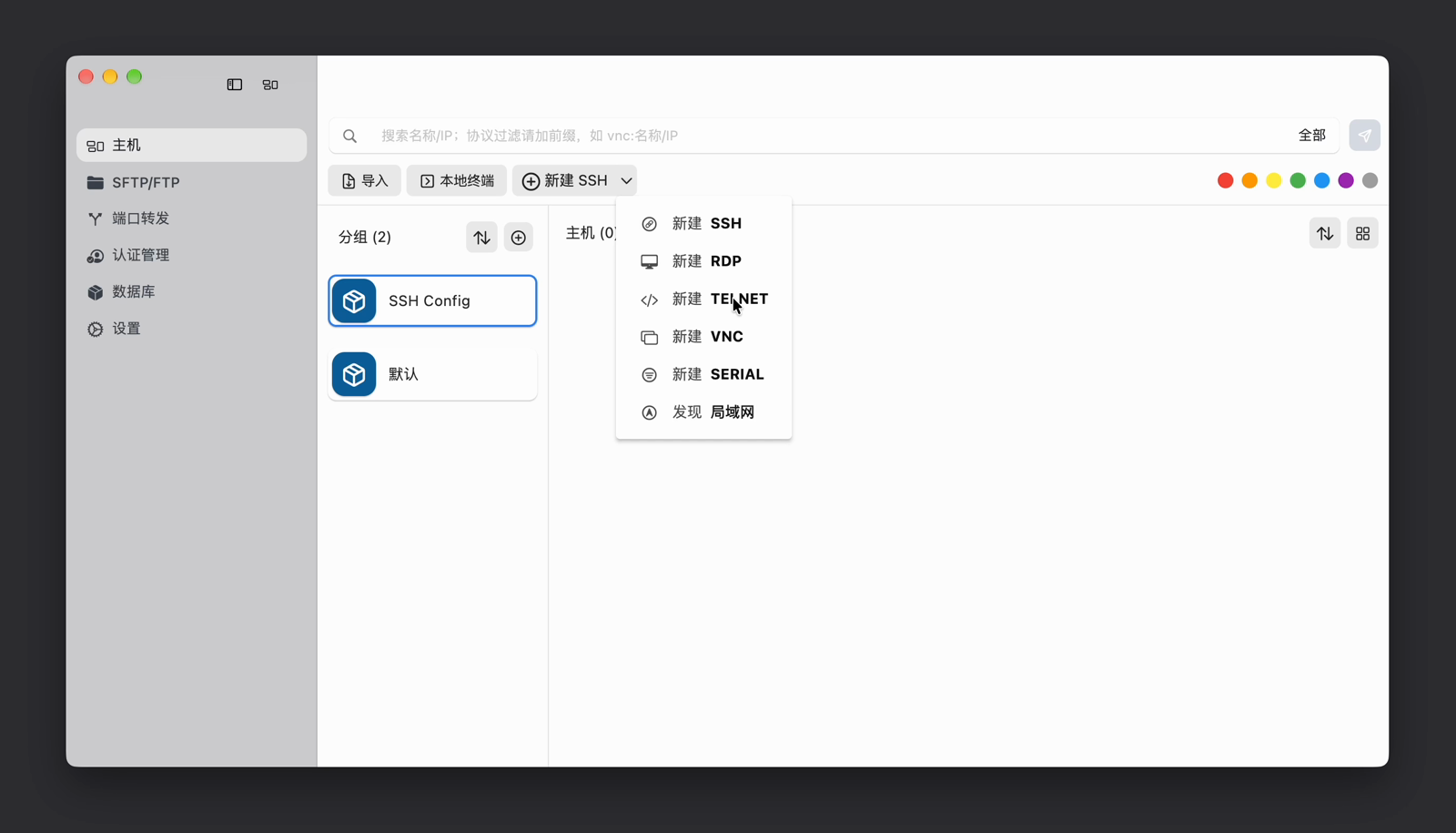
On the Hosts page, open the dropdown next to New SSH (新建 SSH) and choose New Telnet (新建 TELNET). The new host form displays an orange TELNET badge.
- Address is the device's IP address or hostname. My test service ran on the same Mac virtual machine as DartShell, so I used
127.0.0.1. That address points to the machine running DartShell. When connecting to another device, enter that device's reachable address. - TELNET Port defaults to
23. My test service listened on2323, so I entered2323. Use the port configured on your device. - Username and password depend on the device. The local test service required no authentication, so I left both fields blank.

Send a command and check the reply
Click Connect (连接). Once the test service displayed the lab> prompt, I entered status and pressed Return. It replied Device status: OK. This showed that the client could send a command and receive the service's reply. Both the command and the reply were predefined by the test service. On your device, use a read-only command listed in its documentation.
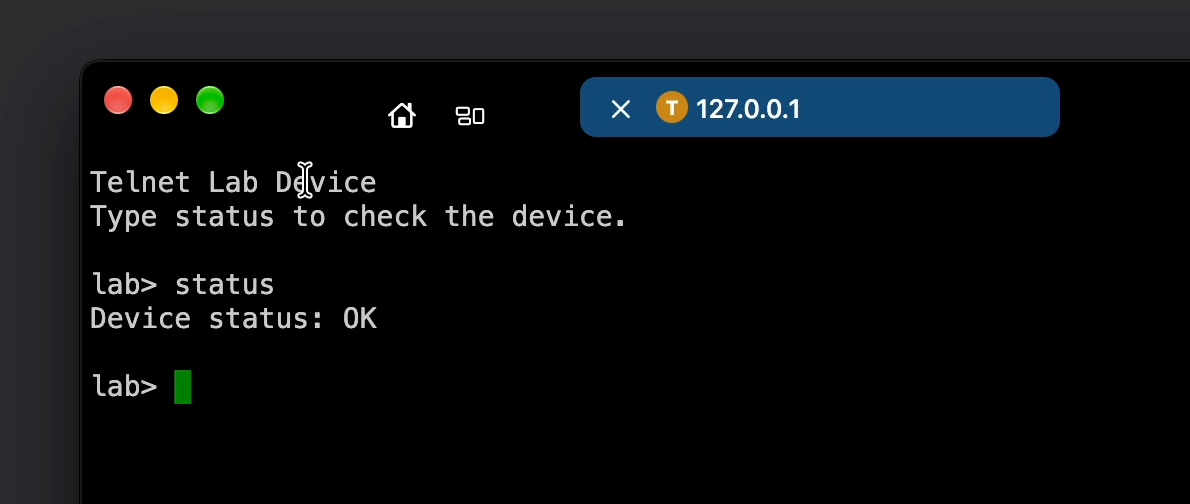
If the connection times out, check the address, the port and whether the device is listening for Telnet, then look at the network or firewall. If you see a login prompt, follow the device's authentication instructions. If you can open the terminal but your query gives an unexpected result, confirm that you are signed in and that the device supports the command.
If you are moving from a Windows client, see PuTTY alternatives for Mac. For a setup that also relies on SSH, see how SecureCRT and DartShell compare on Mac.
DartShell
Want a smoother remote ops workflow on macOS?
DartShell brings SSH, RDP, VNC, SFTP, and serial access together in one native macOS app, so you can reduce tool switching and repetitive setup.
Download DartShell