
PuTTY for Mac: Best SSH and Telnet Alternatives for macOS
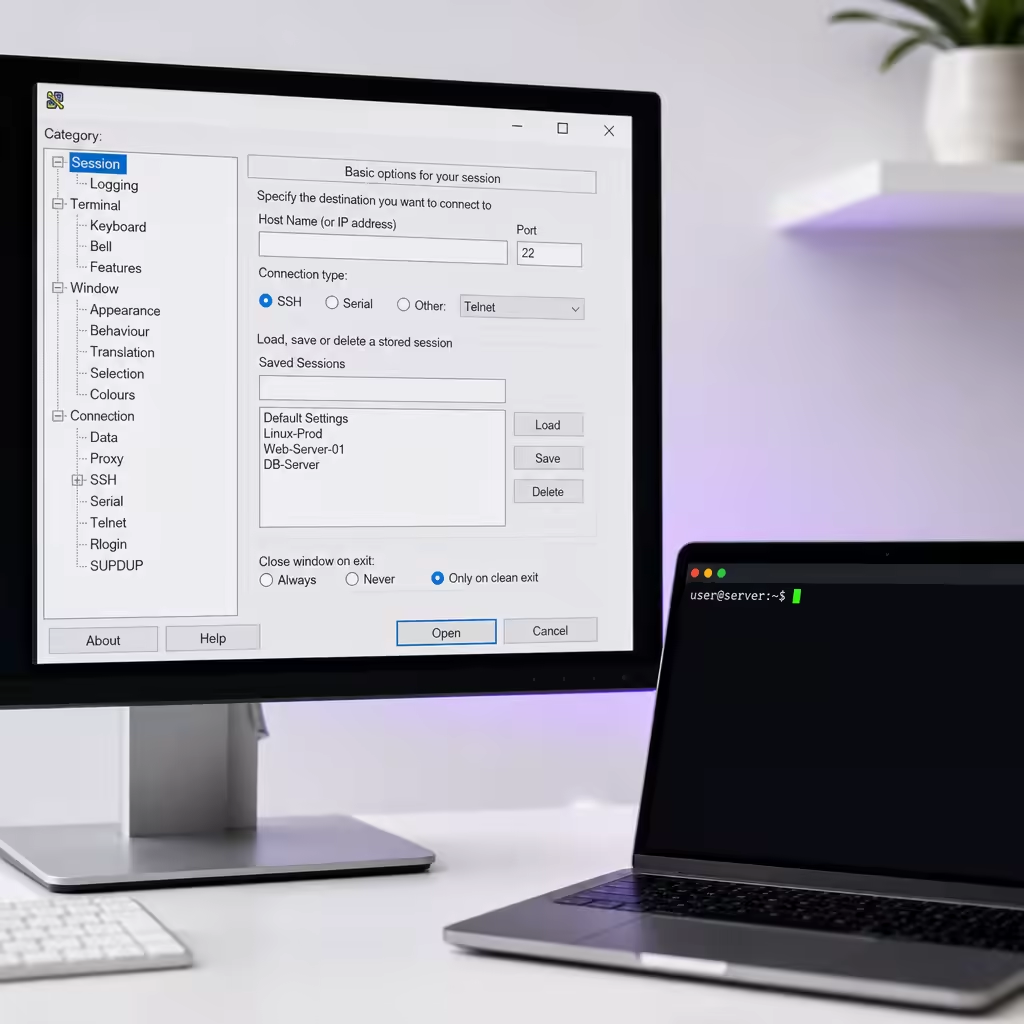
After switching from Windows to Mac, many developers and IT professionals familiar with PuTTY encounter the same question: Is there an official version of PuTTY for macOS that they can continue using?
PuTTY has long been a classic SSH and Telnet client for Windows. Its simplicity, stability, and lightweight design have made it popular among server administrators and developers. However, PuTTY’s official development primarily focuses on Windows, and there is no official macOS client.
Mac users can run PuTTY-like tools through community-supported solutions or choose an SSH client better suited to macOS based on their workflow.
Can You Still Use PuTTY on macOS?
There are currently several PuTTY ports available for macOS, including community-maintained versions that can be installed through Homebrew.
This approach is suitable for users comfortable with the command line:
- Quickly install SSH-related tools;
- Retain some familiar PuTTY workflows;
- Suitable for basic connection testing.
However, ported versions typically differ from the classic Windows PuTTY interface. If you expect exactly the same window layout, configuration process, and user experience, it is difficult to find a fully equivalent official version for macOS.
For Mac users, choosing an SSH tool that fits their actual workflow is more important.
Built-in SSH on Mac: Ideal for Command-Line Server Administration
macOS includes a built-in OpenSSH client that can handle most server connection requirements.
For example:
ssh username@server-address
If your daily work mainly involves:
- Logging in to Linux servers;
- Viewing logs;
- Running deployment commands;
- Managing remote environments;
You can combine macOS’s built-in SSH client with the ~/.ssh/config configuration file to create an efficient command-line workflow.By configuring parameters such as hosts, keys, and ports, you can reduce repetitive input and manage multiple servers more efficiently.
For developers accustomed to working in the terminal, this approach is simple, stable, and consistent with the macOS experience.
GUI SSH Clients: Better for Managing Multiple Servers
If you prefer a graphical interface and want to manage multiple connections in windows as you would with PuTTY, there are many SSH clients available for macOS.
GUI tools typically provide features such as:
- Saving multiple server configurations;
- Managing SSH keys;
- Integrated SFTP file transfers;
- Managing port forwarding;
- Maintaining multiple remote sessions simultaneously.
Search for keywords such as SSH and Remote Desktop in the App Store to find a wide range of remote connection tools for Mac.DartShell is designed primarily for macOS users and supports multiple remote protocols, including SSH, RDP, VNC, Telnet, and SFTP. It is suitable for developers and IT professionals who need to manage different servers and remote environments simultaneously.
What Should You Consider When Moving from Windows to Mac?
When migrating from PuTTY to Mac, consider the following factors:
| Use Case | Recommended Option |
|---|---|
| Connecting to only a few Linux servers | Built-in SSH on macOS |
| Frequently managing multiple servers | GUI SSH client |
| Transferring files | A tool with SFTP support |
| Managing SSH, RDP, and VNC connections together | Multi-protocol remote management tool |
For independent developers, small IT teams, and remote workers, a client that can manage different types of remote connections in one place can reduce the overhead of frequently switching between tools.
Conclusion
PuTTY was once an essential server connection tool for Windows users, but macOS offers a broader range of options.If your needs are focused on managing servers through the command line, macOS’s built-in SSH client is already powerful enough. If you need a graphical interface, multi-protocol connections, and a more comprehensive remote management experience, consider a remote connection tool designed specifically for Mac.
Choosing an SSH client that fits your workflow is more important than finding a version that perfectly replicates PuTTY.
DartShell
Want a smoother remote ops workflow on macOS?
DartShell brings SSH, RDP, VNC, SFTP, and serial access together in one native macOS app, so you can reduce tool switching and repetitive setup.
Download DartShell