
How to SSH with a Private Key on Mac: A DartShell Walkthrough
You have a private key file, a server address, and a username. How do you actually log in from a Mac? An SSH client uses that private key to authenticate; double-clicking the file won’t connect you. Here’s how to do it in DartShell.
Start with the right file
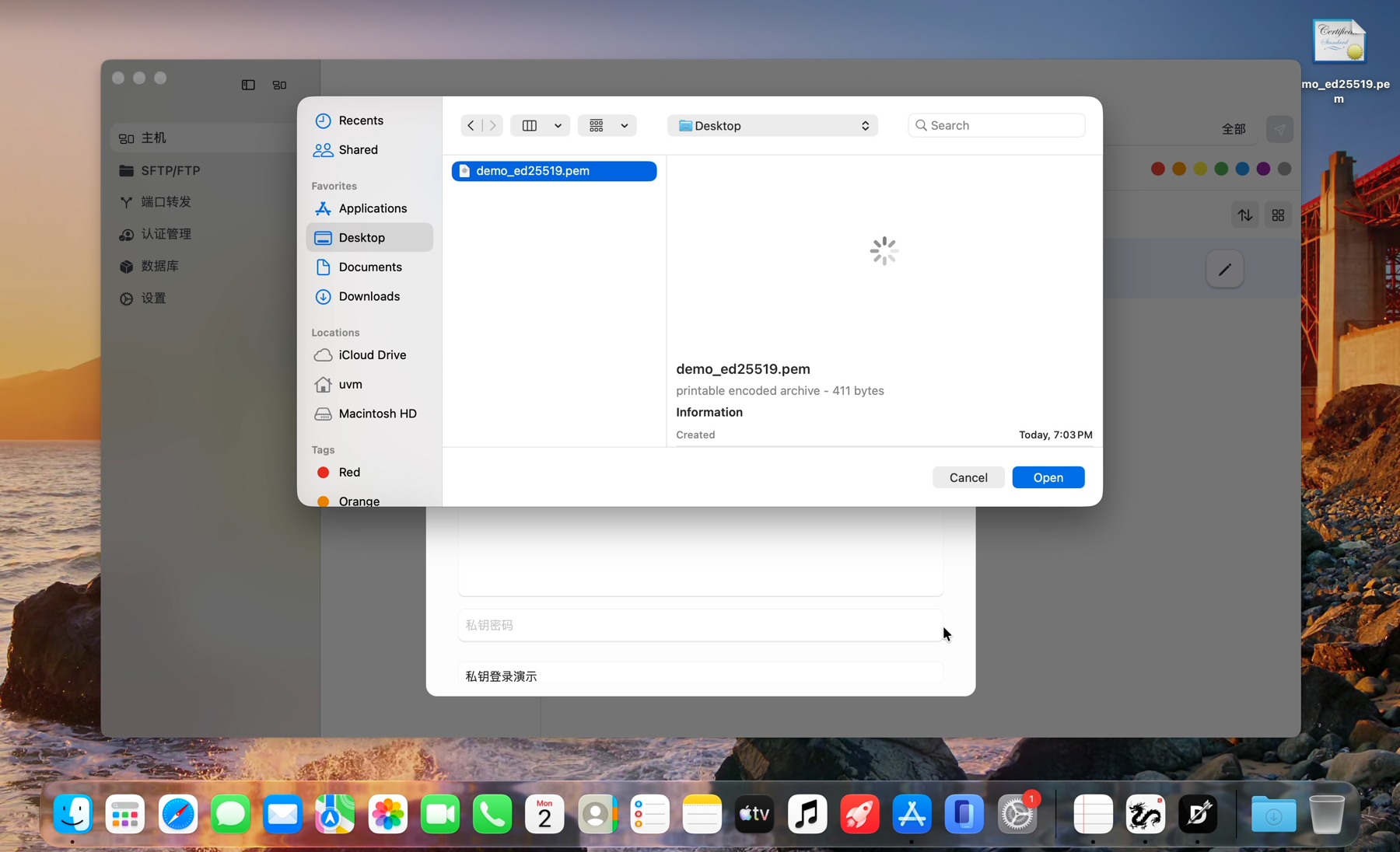
The client needs your private key, and the matching public key has to be authorized on the server for the account you’re using. Just having the private key doesn’t give you access.Don’t pick the .pub file as your private key. The file we’re using is called demo_ed25519.pem. That’s just a test name, not something you absolutely need to use.
Choose the key in DartShell
Open up the host you want to connect to. Make sure to check the address, username, and SSH Port, then switch the authentication method from Password to Private Key. The screenshots have Chinese labels: 密码 means Password and 私钥 means Private Key. The address and port 22333 are for this test setup, so use your own details.
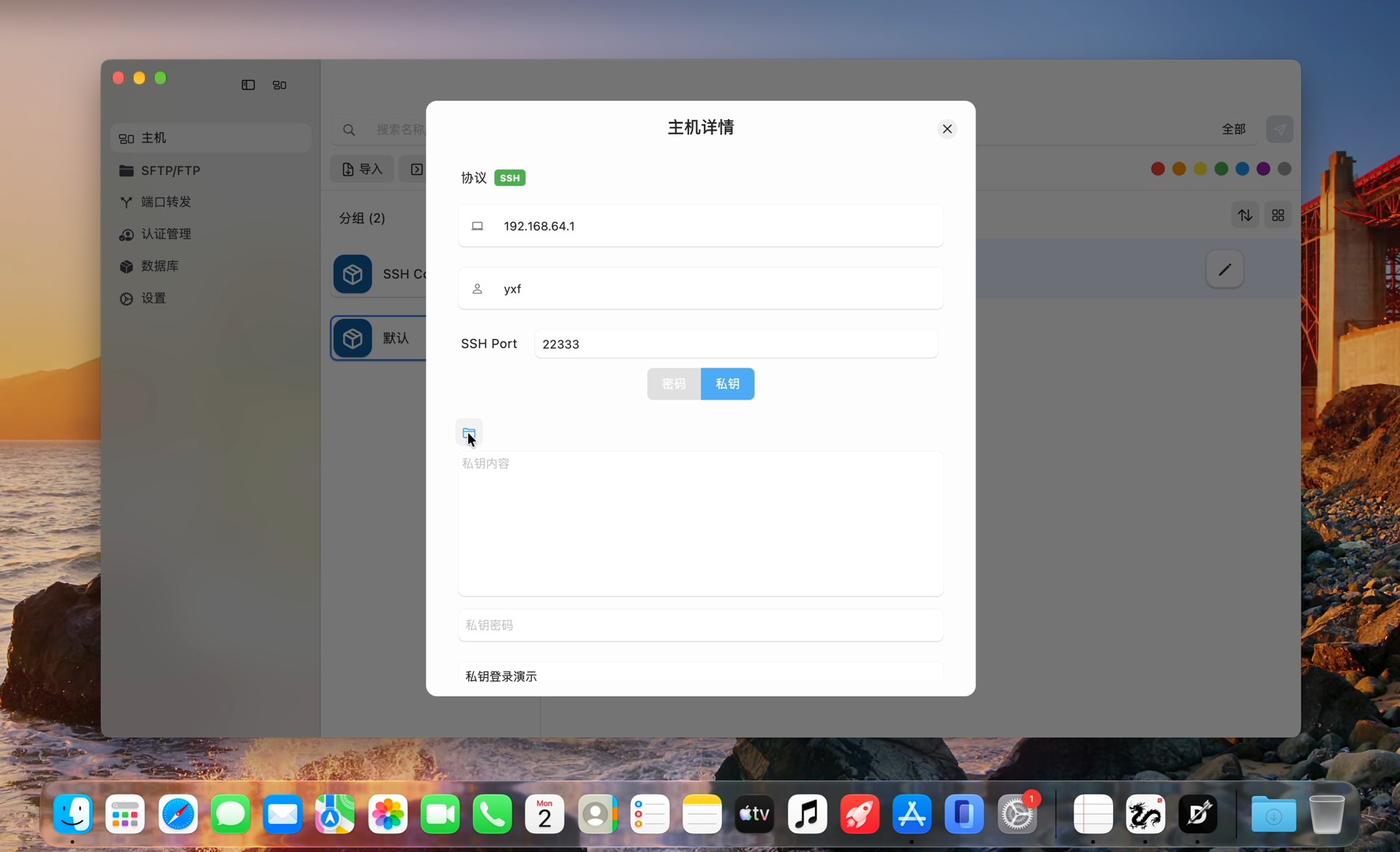
Click the little folder icon above the private-key field, find your file, and hit Open. DartShell will read what’s in it. Keep your private key out of screenshots and public comments.If your key is encrypted, you’ll need the private-key passphrase to unlock it. That’s different from your server account password. This example uses a test key with no passphrase.
Check what you connected to
Now, click Connect. In the terminal, run whoami && uname -s to check the logged-in account and remote system. This session showed yxf and Darwin because the SSH endpoint was a macOS test machine, not a Linux cloud server.
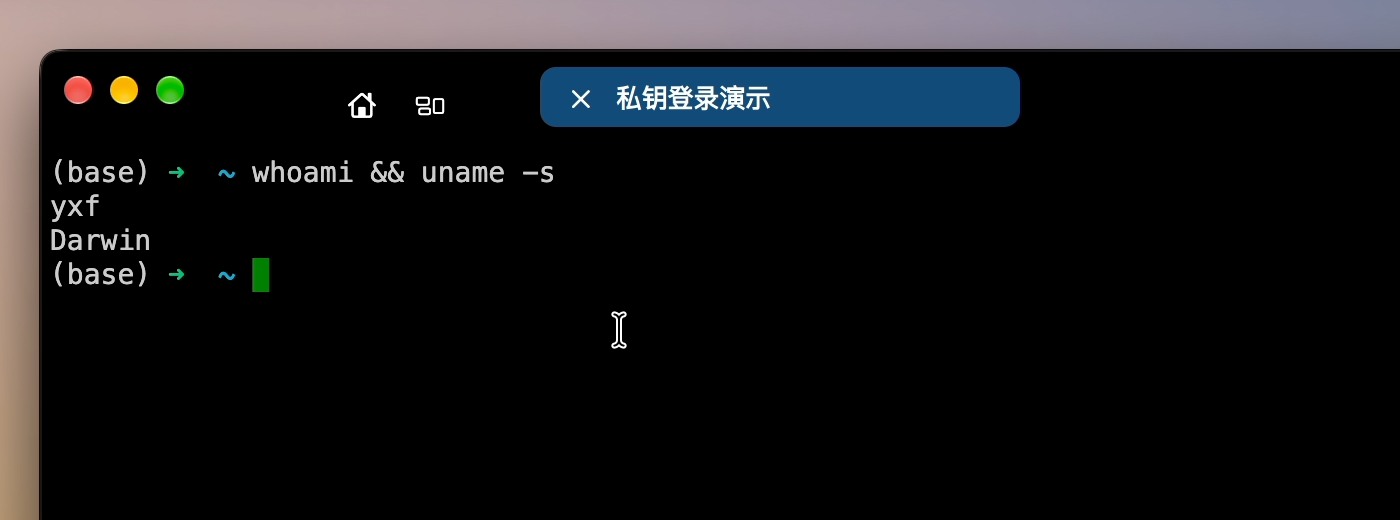
If a command returns a result, you have checked that this connection can execute commands. If authentication fails, make sure the username, private key, and public key authorized for that server account all match. Renaming the file won’t fix a mismatched key.
Do you usually log in with a password or a key?
Related tasks
DartShell
Want a smoother remote ops workflow on macOS?
DartShell brings SSH, RDP, VNC, SFTP, and serial access together in one native macOS app, so you can reduce tool switching and repetitive setup.
Download DartShell