Are RDM and Royal TSX Too Heavy? Is There a Better Alternative?
Choosing a remote operations tool on macOS: why RDM and Royal TSX can feel "too heavy," and some lighter alternatives to consider When it comes to remote operations on macOS, RDM (Remote Desktop Manager) and Royal TSX are two widely mentioned tools. They are known for their comprehensive feature sets, capable of covering a wide range of remote connection and management scenarios.
But in actual use, more and more users have started to share a common feeling:
The features are powerful, but the experience is not effortless.This article looks at the issue from the perspective of real-world user experience, analyzing why tools like these can feel "too heavy" and exploring design ideas that are better suited to everyday operations scenarios.
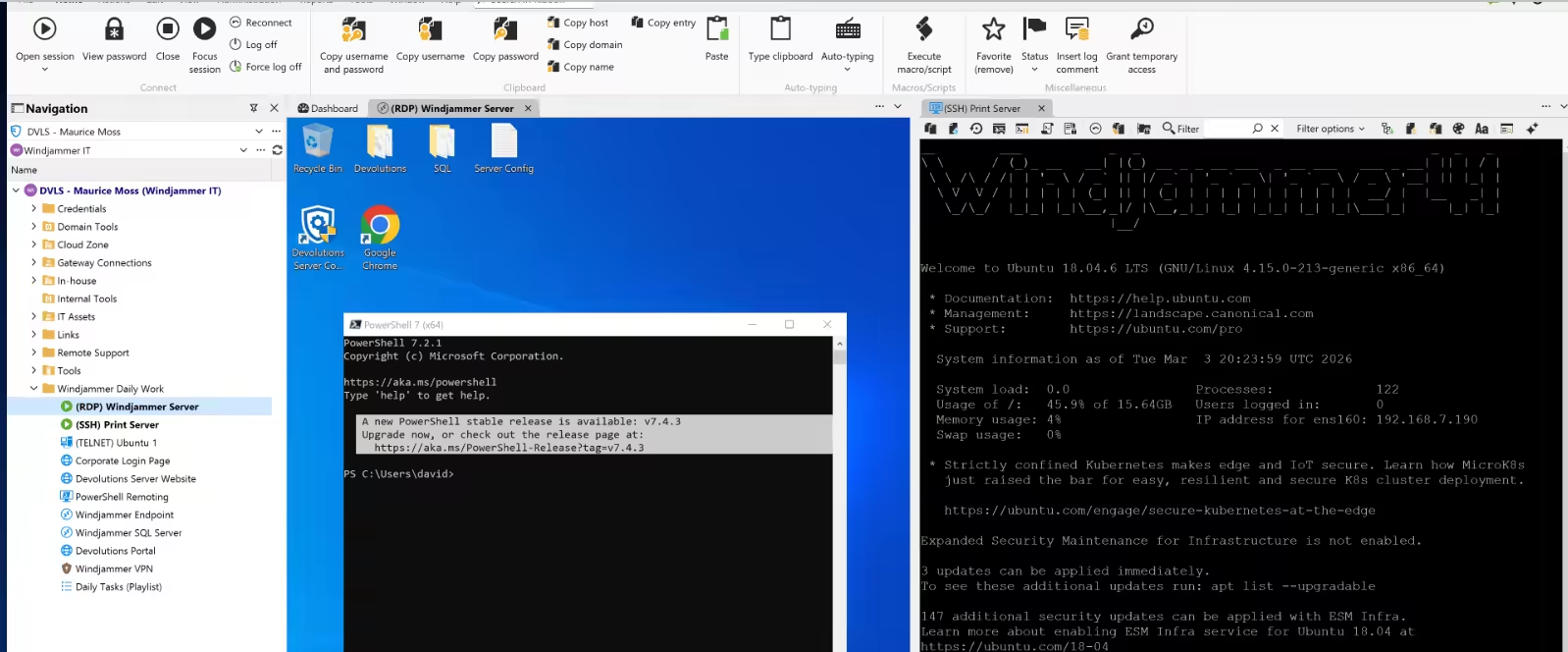
1. The Capability Advantages of RDM and Royal TSX
From a functional perspective, these two types of tools can almost be described as "all-in-one remote management platforms." Their typical capabilities include:
- Support for multiple protocols (SSH, RDP, VNC, FTP, etc.)
- Complex and flexible connection configuration systems
- Plugin extensibility and team collaboration support
- Advanced features such as session recording and scripting
These capabilities are highly valuable in enterprise scenarios or complex operations environments.
2. The Core Problems in Real-World Use
Although feature-complete, their problems gradually become apparent in day-to-day use. One typical piece of user feedback is:
"I spent ages looking into it and still didn't know how to get started. The interface is too complex, and the workflow is too cumbersome."
Behind this kind of feedback is a mismatch between the cost of using the tool and actual user needs.
1. High Learning Curve
- Too many configuration options and complex hierarchies
- Users need to understand the full connection model
- The barrier to entry is high for first-time users
2. Long Operational Path
Even a simple connection workflow often involves multiple steps:
Open the tool → Find the connection → Check the configuration → Execute the connection In high-frequency usage scenarios, this kind of workflow clearly reduces efficiency.
3. Information Density and Cognitive Load
- Too many interface elements and dense information
- Scattered feature entry points
- Users constantly need to "locate and evaluate"
This increases the cognitive burden during continued use.
3. The Essence of "Too Heavy": Misalignment Between Design Goals and Usage Scenarios
From a product design perspective, these tools are primarily aimed at:
- Enterprise remote management
- Multi-user permission systems
- Highly configurable and extensible capabilities
But the core needs in most developer or individual operations scenarios are:
- Quickly locating servers
- Quickly establishing connections
- Reducing the cost of repetitive configuration
When a tool's complexity exceeds actual needs, it creates a clear sense of being "too heavy."
4. A Lighter Design Approach: Workflow-Centered
If we start from the perspective of "efficiency in use," we arrive at a different design direction:
- Prioritize high-frequency core operations
- Shorten the operational path
- Hide complexity inside the system
At its core, this approach shifts from being "feature-driven" to being "workflow-driven."
5. DartShell: A Lightweight Implementation for Everyday Operations
Under this design philosophy, DartShell offers an implementation that aligns more closely with macOS usage habits.
Its core characteristics can be summarized as follows:
1. Shorter Operational Path
- Search for a server → connect directly
- Fewer intermediate configuration steps
It is well suited for high-frequency SSH / RDP usage scenarios.
2. Clearer Structural Organization
- Intuitive grouping hierarchy
- Support for quick search and positioning
- Avoids the burden caused by complex configuration structures
Even at larger server scale, it can still maintain good manageability.
3. Lower Learning Cost
- Ready to use out of the box, with no complex setup required
- Interaction logic that aligns with the native macOS experience
- Lower barrier to first-time use
This design shifts complexity away from the user side and into the system itself.
6. How to Choose the Right Tool for Yourself
Different tools are suited to different scenarios:
Better suited for RDM / Royal TSX
- Enterprise remote management
- Complex permission and role systems
- Highly customized requirements
Better suited for lightweight tools
- Personal development or operations work
- High-frequency connection and switching
- Greater emphasis on efficiency and smooth workflows
7. Conclusion
When choosing a remote operations tool on macOS, the essence is a classic tradeoff:
Functionality completeness vs. cost of use Flexibility vs. ease of getting started RDM and Royal TSX provide a higher functional ceiling.
Tools like DartShell, by contrast, focus more on:
How to reduce workflow cost and cognitive burden in everyday high-frequency operations.If you have already started to feel the complexity imposed by the tool itself during use, it may be worth reassessing your current choice from the perspective of workflow optimization.
You can learn more about DartShell's design philosophy and feature details on its official website:
DartShell
Want a smoother remote ops workflow on macOS?
DartShell brings SSH, RDP, VNC, SFTP, and serial access together in one native macOS app, so you can reduce tool switching and repetitive setup.
Download DartShell